
Donation Receipts and Thank-You Management
Overview
Brick River now makes it easier to manage donor transparency and stewardship. Donors can access their own donation history, including receipts and tax documents, while administrators can quickly identify which donors still need a thank-you and send messages directly from Brick River.
These updates help you stay organized, improve donor communication, and ensure no donor is overlooked.
Donor Access to Receipts and Statements
What donors can see
On the updated donor management page, donors can now view their complete donation history, including:
- Payment receipts for each donation
- Tax receipts for eligible donations
- A summary statement of donations to date
This information is available for every donation made, giving donors easy access to their records without needing to contact your team. Receipts are sent automatically in the email that is sent when someone donates, along with a link to their donor management page.
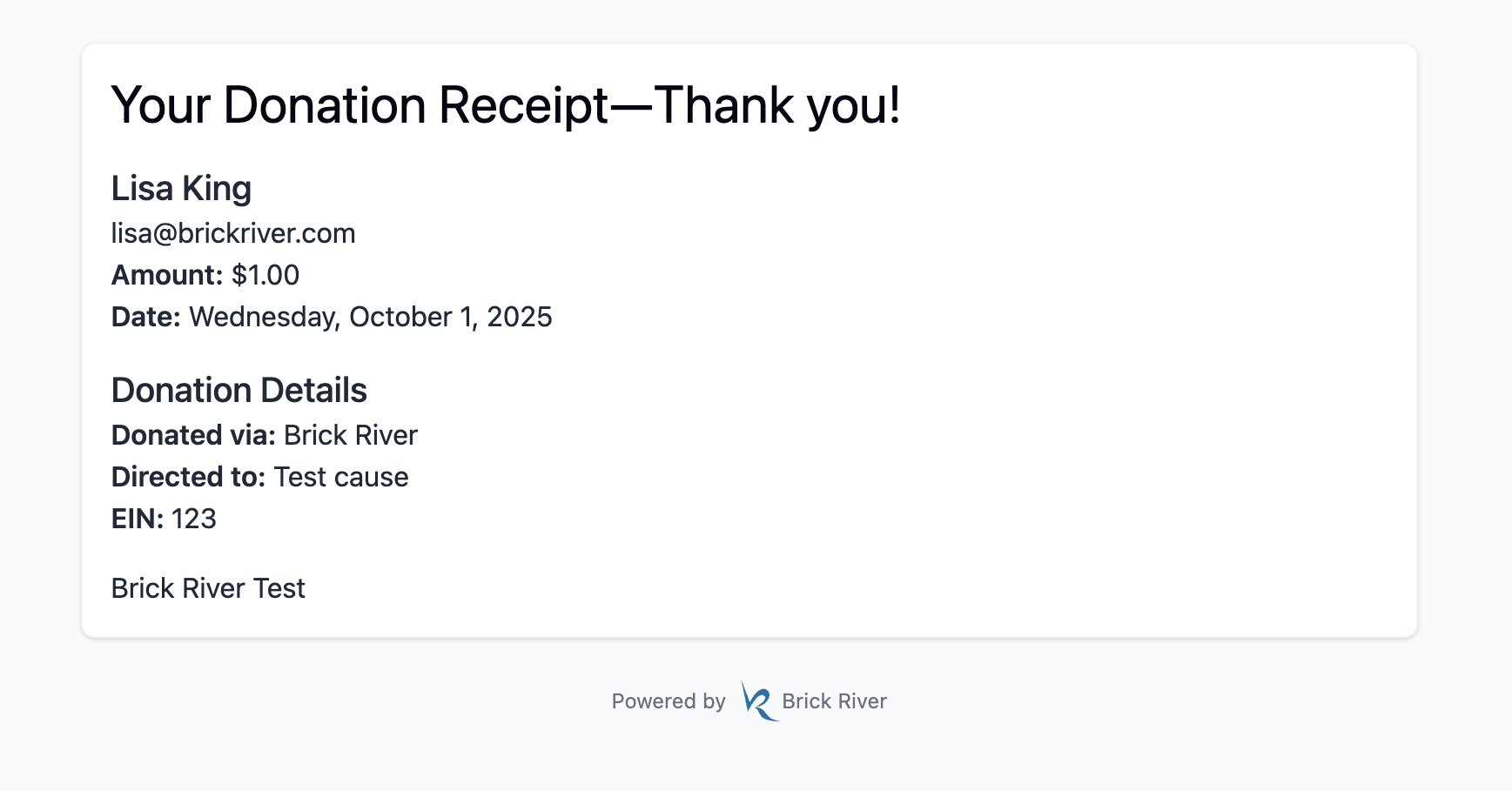

Example donation management page.
Tracking Donors Who Haven’t Been Thanked
Automatic vs. manual thank-yous
- Online donations: Brick River automatically sends your prewritten thank-you email.
- Hand-entered donations: No thank-you email is sent automatically.
Because of this, it’s easy for manually entered donations to go unthanked—until now.
Brick River now clearly shows which donors have not yet been thanked, so you can follow up with confidence.
Sending Thank-You Emails
Thanking one or more donors
From the Donors screen, you can:
- Filter or sort to find unthanked donors
- Select one or more donors
- Choose to send a thank-you email
When sending, Brick River will prompt you to:
- Use your prewritten thank-you message (from your donation page), or
- Write a new message directly in the emailer
Once the email is sent, the donor is automatically marked as “thanked.”
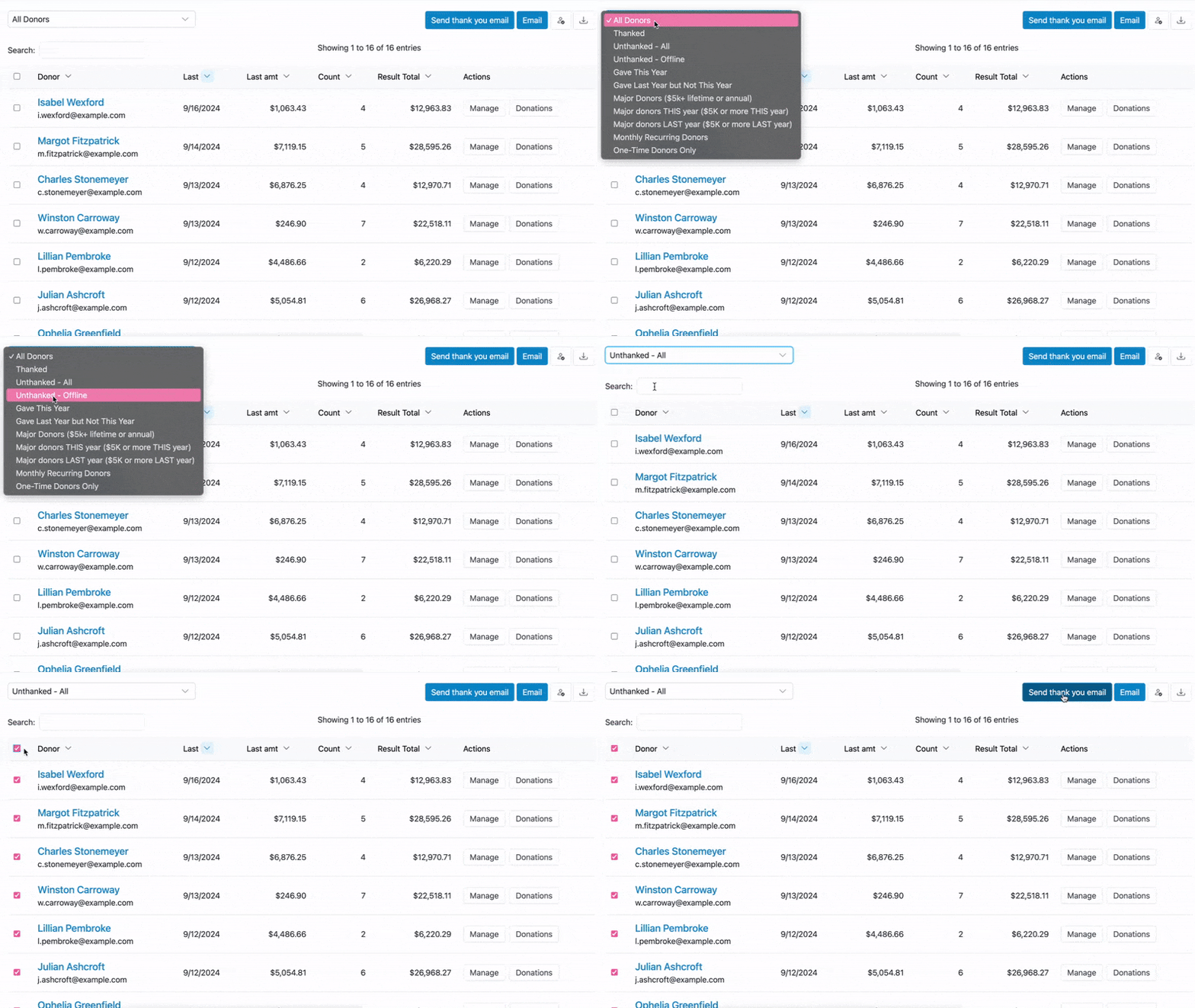
Advanced Donor Filtering and Sorting
In addition to sorting by Unthanked, you can now filter donors by criteria such as:
- Donors who gave in the past but not this year
- Donors who have given this year
- Donors who have given more than $5,000 total over time
- Monthly recurring donors
- And more
These filters make it easier to target outreach, stewardship, and re-engagement efforts.
New Donor Table Columns
The Donors table now includes additional columns so you can see key information at a glance:
- Date of last donation
- Last amount donated
- Total number of donations
- Total amount donated
All of this information appears in a single row per donor, reducing the need to click into individual records.
Tips
- Review the Unthanked filter regularly to ensure no donor is missed.
- Use total donation amount filters to identify major donors for personalized outreach.
- Keep your prewritten thank-you message up to date—it’s used automatically for online donations and can be reused for manual follow-ups.